Internet Explorer Self configures off a host in your network
Many people are not aware that all someone has to do is setup a host on your network named WPAD, and put a proxy autoconfig, and boom your browsers start routing through the rogue proxy server. Or atleast that is how this all reads:
Create/install/implement a DNS record so that wpad.your.domain.name resolves to the host above where you have a functioning auto config script running. You should now be able to use http://wpad.your.domain.name/wpad.dat as the Auto Config Script location
http://www.squid-cache.org/Doc/FAQ/FAQ-5.html
Regardless, we setup a hostname that resolves to localhost to prevent someone from taking advantage of it internally.
Bought new sheets
OK, this isn't really news worthy information but hey, I like to remember where I got things, and I usually forget. So I bought new sheets for my new wood bed. Great deal on the comforter, sheets, pillowcases and other things that I seemed to need.
BedSheets.com - Wine Colored
New Counter Strike 1.6 released – Steam Powered!
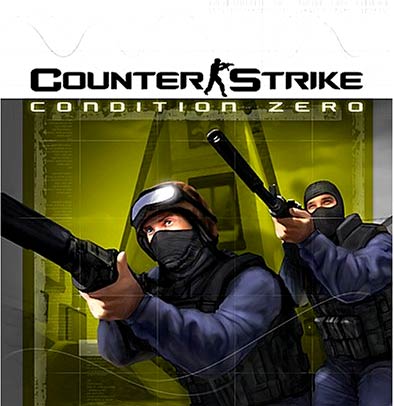
There is a new version of Counter Strike released v1.6. It is utilizing a new online connected model of patch updates that is supposed to minimize the cheaters ability to hack their client files in a way that allows them to get an advantage. It also seems to hint a bit at the new UI that Valve is taking with their games (ie prolly Half-Life 2). Its very clean. This is basically a full version game of Counterstrike for FREE!
Read more here, its deceptive because its called "Steam", but its really a full version of Counterstrike.
www.steampowered.com is where you get info and will ultimately be linked to the following site. The site has the download which is ~379MB. There is an option to download via BITTorrent. USE THIS. Basically this allows you to download the file simultaneously from several people all at once.
Download Counterstrike Steam Installer from this page after BitTorrent is installed. OR, get use this direct BitTorrent Link.
During the install you will need to create an account. There is a friend buddy list.
Auto-completion in Outlook
http://blogs.gotdotnet.com/kclemson/PermaLink.aspx/b0a9684b-b813-4100-a47a-46786ae0808c
In Tools | Options | Email Options | Advanced E-Mail Options, there is a setting: "Suggest names while completing the To, Cc and Bcc fields." When enabled, Outlook suggests matches as you're typing in these fields, much like IE will suggest URLs as you're typing in the Address bar. Type in "David" and you will get a list of Davids to whom you have sent mail in the past (names are added to this cache on resolve, i.e. once they're underlined).
After a while, this list could get cluttered with people you rarely send mail to, so you don't need them in the cache. So you can delete those entries from the cache:
- Type enough characters so that the name shows up in the list
- Using the down arrow, select the entry you want to delete
- Press the delete key
Buh-bye goes the name.
Note: The cache is stored on the client, so if you move to another computer with Outlook on it, you won't have the same list. For information on how to back-up this cache as well as the rest of your Outlook data, see http://support.microsoft.com/?id=287070. For information on how to configure the number of names that show up in the cache, see http://support.microsoft.com/?id=293032.
Calendaring Issues in Outlook
Most of these issues are pre Outlook XP, but are worth reviewing regardless.
Calendaring Issues
Holiday Issues
Using iCal to send out Holidays
Skype releases a VOIP phone for the Pocket PC
Skype Releases PocketPC Version Of VoIP Software
An anonymous reader writes "According to WindowsForDevices.com, Skype Technologies has launched a free beta release of peer-to-peer voice calling software for WiFi-enabled handheld devices running Microsoft's Pocket PC software platform. PocketSkype is a 'thin' version of Skype, the company's original peer-to-peer voice-calling for Windows PCs which was released in August 2003. Like Skype, PocketSkype can be used to make free, unlimited, and unmetered calls anywhere in the world."
Corporate Blog Software
I'm starting to think that Blog software has alot of value in the corporate space. If you agree with me, or have some ideas, please get an account, and reply to my post. I'm still searching for some top products in this space that will fit in the corporate environment.
Some of the products in the space:
Six Apart's Movable Type
UserLand's Manila
Noah Grey's Greymatter
Drupal - What TJ uses and now has an LDAP module for single signon
Post Nuke
Live Journal - Perfect example of communities
Orkut - Another Community
Fast Company.com - Great article about why companies are adopting blogs internally and externally.
Sharepoint isn't it - Commentary about why Sharepoint isn't close to taking over the Blogging software revolution
JPEG Tag Editing – Gallery and Image Rotator
I classified this one under Vacation because it deals with the Photo's I take so much of when I am travelling. This program allows you to modify / extend the meta tag information stored within a JPEG file. By keeping information in the JPEG, when you move it around the original date you took the picture won't change, and the comments you put into it can move with the picture between all the imaging / slideshow programs. So for example when I have a slideshow on my home grown slideshow program, and move it to Gallery, all the information stays with the file, so I don't have to type it all in again.
What am I talking about? Well try out PixVue It integrates into the Windows XP desktop and allows multiple file editing. Use this with Windows XP Publish these photo's to the web feature and you have a rapid picture uploading process. Its easy enough anyone can do it.
Windows CE phone for Voice over IP (VOIP)
This could be an interesting play as we start having more Windows CE type devices with WiFi and Bluetooth, and a VoIP solution. Begs the question on if we need the cellular company? My answer is yes... for large city networks, but definately pushes them to need strong data services, not just voice, and text messaging.
http://www.crn.com/sections/BreakingNews/dailyarchives.asp?ArticleID=49056
Backing up Exchange 2003 – two passes
A pretty interesting lesson learned from organizations who have implemented Exchange 2003 is the way that Exchange 2003 gets backed up. For organizations that use the built-in Windows Backup utility that comes with Windows 2003 (and is also applicable for many 3rd party tape backup software programs based on similar use of Windows 2003 backup API technologies), the backup process may not be working as expected.
The issue is that if you setup the tape backup software to backup “the entire server†on a single backup process (which is a pretty common thing for people to do). The problem, if you review the Exchange LOG files, is that the log files aren't flushing night after night. There are two Microsoft Technical articles (820272 http://support.microsoft.com/default.aspx?scid=kb;EN-US;820272 and 820852 http://support.microsoft.com/default.aspx?scid=kb;EN-US;820852) that basically confirmed the problem. Although 820272 says to “either†backup as 2 separate routines, OR to put the EDBs on a separate drive; however you'll find that having the EDBs on separate drives than the system state / programs doesn't solve the problem, so you need to setup two separate routines to make this work (backup routines on an Exchange server: one to backup the C> and System State, and one to backup the Information Store Service)
The “reasoning†for this problem as stated in the Technical Articles is because Exchange 2003 backup uses the Volume Shadow Copy Service (VSS) to snapshot the data before it is backed up. With VSS enabled, all backup processes (system state, program volume, and databases) are flagged as “backup in progress†until the backup is complete. While the system successfully backs everything up, the Information Store does not flush the committed logs because the state of the server shows the system failed to backup successfully because of the VSS lock. By splitting the backup process into two processes, the system state / program volume backs up successfully, THEN the information store is backed up separately and completes successfully, thus flushing the logs.
I would call this a “bug†in the way the backup APIs are tracking completed state and would likely be fixed in a future update to Exchange 2003, but for now, at least with the built-in Windows Backup software, you need to kick off 2 separate backup routines.